


90% feel confident
That is how many respondents believe they can recover from a cyber incident within their recovery time objectives. Where ransomware affected operations or data, only 28% recovered all affected data.
RestoreTrust automatically tests whether your backups can actually be restored. Your backup files are not sent to the central service.
That is how many respondents believe they can recover from a cyber incident within their recovery time objectives. Where ransomware affected operations or data, only 28% recovered all affected data.
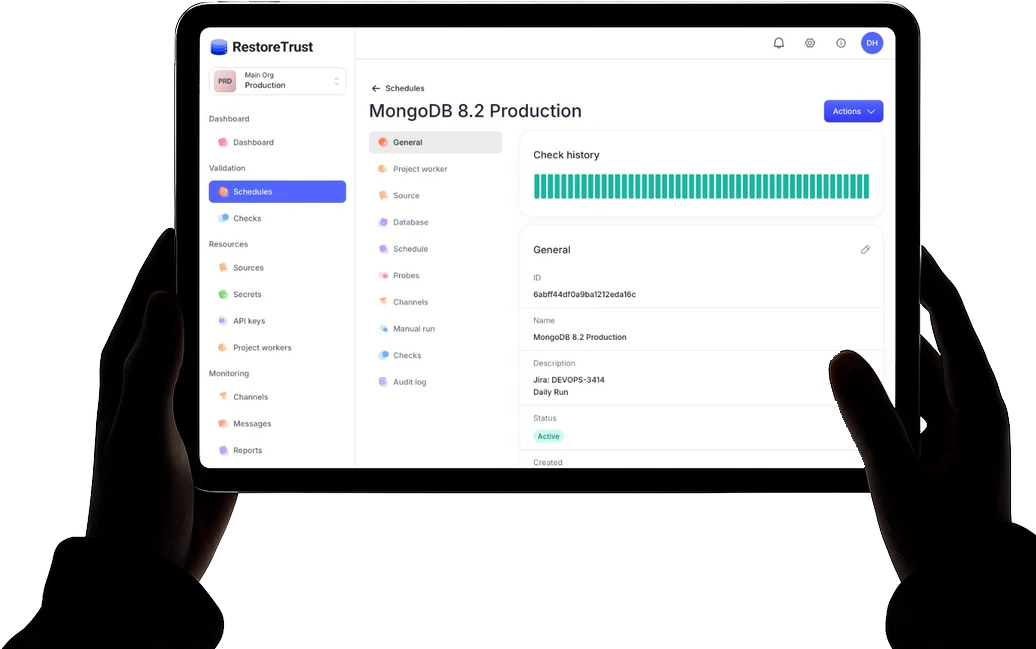
RestoreTrust restores your database backup in a temporary test environment, then runs your checks. You can see whether the restore succeeds and the results meet your requirements.
The steps and results of each test are recorded, together with a SHA-256 hash of the test data. Depending on your plan, you can create PDF reports for your team or an audit.
RestoreTrust supports several databases and common backup storage options. All sources and databases
 PostgreSQL
 MySQL
MySQL MariaDB
 MongoDB
 File checks
 S3
S3 FTP
FTP SFTP
SFTP SMB
SMBIs your RestoreTrust worker installed in your Kubernetes cluster? You can now configure your first test. Setup in detail
Store the credentials in your cluster and give RestoreTrust the name of the Kubernetes Secret.
Add your S3, FTP, SFTP, or SMB source and specify where RestoreTrust can find the backups.
Choose a worker, database, and schedule. Add your checks and select how you would like to be notified.
The worker downloads the selected backup from the configured source.
Database backups are restored in an isolated test environment.
The worker runs your checks on the restored data. For file checks, it checks the file directly.
You can see whether the test passed or which step encountered an error.
Test data
A SHA-256 hash is calculated for each completed test. You can use it to verify the corresponding test document.
Time
A confirmed OpenTimestamps proof establishes that the test data existed in that form no later than the confirmed time. You can verify it independently.
Access
You store them as a Kubernetes Secret in your cluster. In RestoreTrust, you enter the name of that Secret.
Execution
The worker in your Kubernetes cluster runs the tests. It is assigned to the relevant project.
Notifications
You can set up notifications by email or through an HTTPS webhook.
Your infrastructureKubernetes
The RestoreTrust worker runs tests in your Kubernetes cluster. A temporary, isolated test environment is created for the restore.
More about executionPostgreSQL, MySQL, MariaDB, and MongoDB. File checks are also available without restoring to a database.
RestoreTrust uses the names of the Secrets you have created in your cluster to grant access.
You can email us with questions about the product.
S3, FTP, SFTP, and SMB are supported as backup sources.
Report exports are available depending on your plan.
The REST API lets you manage your tests from your own applications.
In your Kubernetes cluster. You install a RestoreTrust worker there and assign it to a project. In the test plan, you choose which worker runs the test.
RestoreTrust supports S3, FTP, SFTP, and SMB. You specify the source and the path to your backups. The worker retrieves them from there.
You can set up notifications by email or through an HTTPS webhook. In the test plan, you choose the notification channel you want to use.
For each completed test, a SHA-256 hash is calculated from a defined set of test data. Optionally, OpenTimestamps proves that this hash already existed at a particular point in time. Once confirmed, the proof can be verified independently. It does not confirm that all backup data is complete or free of errors.
Store the credentials for your backup sources as Kubernetes Secrets in your cluster. In RestoreTrust, enter the names of those Secrets. The worker uses them when running tests.
Yes. The REST API lets you integrate test management into your own applications and automated workflows.
Yes, if your plan includes reports. You can export reports as PDFs for your documentation.